> ## Documentation Index
> Fetch the complete documentation index at: https://docs.bluegenai.com/llms.txt
> Use this file to discover all available pages before exploring further.
# Using CAB to support Requirement Clarification
> How a blueprint records what your source material left undecided, and how to use those questions with stakeholders.
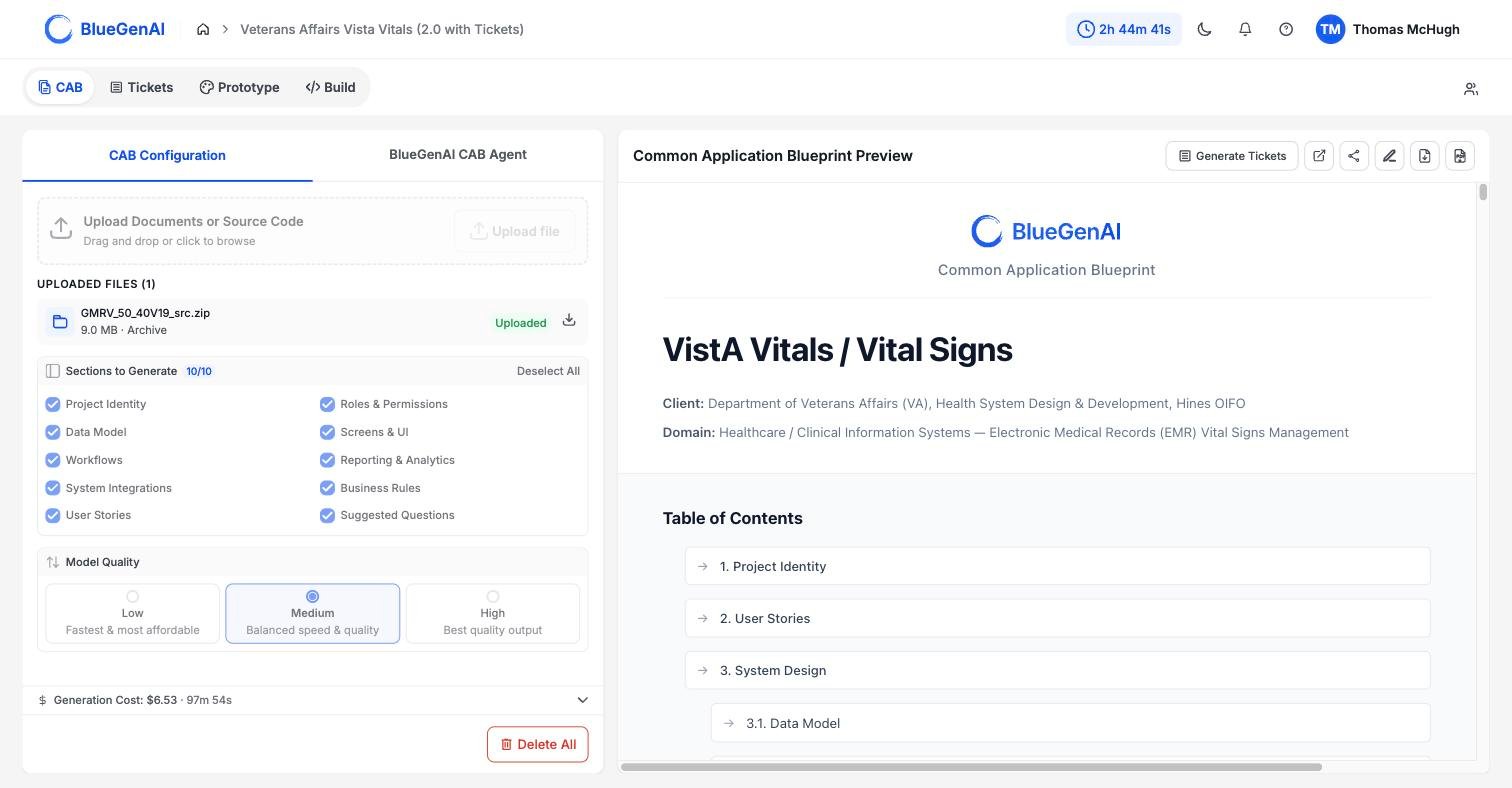
The section is called **Suggested Questions**, and it is generated from the same reading pass as the rest of the blueprint. The gaps it names are gaps the platform hit while trying to specify your application, which is what makes it the fastest way to find where your requirements are actually thin.
 ## How the Questions Are Found
**As CAB analyzes your uploaded materials, they are examined for gaps.** For example, one portion of the code might flag an undefined approval threshold, another may identify the same threshold in a different document.
Those separate findings are then reconciled in one pass over the whole set. That pass does three things worth knowing about.
* **It merges duplicates.** A gap flagged in four documents becomes one question, not four.
* **It ranks by impact.** The questions that most affect what gets built appear first, so the list is in the order you should work through it.
* **It combines context.** Where several documents touch the same gap, the question carries what each of them said. If a question can be resolved by the CAB AI, it will do so before producing the final output.
The intention behind this pass is to read like a business analyst running a joint design session, looking for what is missing, not summarising what is present.
## What Each Question Carries
| Field | What it gives you |
| ----------------- | ------------------------------------------------------------------- |
| The question | Written against a concrete part of your system, not in the abstract |
| Context | What in your source material prompted it |
| Impact | What is affected if it stays unanswered |
| Suggested options | Concrete choices to put in front of a stakeholder |
| Related section | Which part of the blueprint the answer changes |
**The suggested options are what make this usable in a meeting.** A question with two or three concrete choices attached moves faster than an open one, because a stakeholder is picking rather than composing.
## What It Looks For
Here are examples of the types of gaps most commony identified by the CAB generation process:
| Area | Example of what gets flagged |
| ------------------------------- | ------------------------------------------------------------ |
| Validation and business logic | A field with no stated rule |
| Error handling and edge cases | What happens when a step fails |
| Role permissions | Where a boundary between two roles is unclear |
| Integration detail | Authentication, error handling, or rate limits left unstated |
| Workflow transitions | A state with no route out, or a transition with no trigger |
| Data retention | How long records are kept, and what happens after |
| Non-functional requirements | Performance, security, or scalability expectations |
| Contradictions | Two source documents that disagree |
| Features named but not detailed | Something mentioned once and never specified |
## Working Through Them
The list is ordered by impact, so take it in order. For each question, the useful output is a decision, not a discussion; the suggested options exist to get you one.
Answers go back into the blueprint through the normal editing route, either directly or by asking the CAB agent. See [Editing your CAB](/cab/editing-your-cab).
Run this section against a solicitation before you bid, not after. The questions it raises are the ones a delivery team hits in month two, and they are cheaper to ask during clarification than to discover mid-build.
## A Note on Completeness
The questions come from what the platform read. A gap it did not recognise as a gap does not appear, and neither does anything your source material never touched on.
Treat the list as a strong starting agenda rather than an exhaustive audit of your requirements.
## Your Next Step
Answering these questions changes the blueprint, and every change goes through review before it lands.
How manual edits and AI-suggested changes are reviewed and applied.
What each of the 10 sections tells you about your application.
## Related topics
- [What is the CAB?](/cab/what-is-cab.md)
- [Overview](/web-apps/build-mode/overview.md)
- [Quick Start Guide](/getting-started/quick-start-guide.md)
- [Using Tickets and Epics in Build Mode](/tickets/using-tickets-in-build-mode.md)
- [Components of your Blueprint](/cab/blueprint-output-reference.md)
## How the Questions Are Found
**As CAB analyzes your uploaded materials, they are examined for gaps.** For example, one portion of the code might flag an undefined approval threshold, another may identify the same threshold in a different document.
Those separate findings are then reconciled in one pass over the whole set. That pass does three things worth knowing about.
* **It merges duplicates.** A gap flagged in four documents becomes one question, not four.
* **It ranks by impact.** The questions that most affect what gets built appear first, so the list is in the order you should work through it.
* **It combines context.** Where several documents touch the same gap, the question carries what each of them said. If a question can be resolved by the CAB AI, it will do so before producing the final output.
The intention behind this pass is to read like a business analyst running a joint design session, looking for what is missing, not summarising what is present.
## What Each Question Carries
| Field | What it gives you |
| ----------------- | ------------------------------------------------------------------- |
| The question | Written against a concrete part of your system, not in the abstract |
| Context | What in your source material prompted it |
| Impact | What is affected if it stays unanswered |
| Suggested options | Concrete choices to put in front of a stakeholder |
| Related section | Which part of the blueprint the answer changes |
**The suggested options are what make this usable in a meeting.** A question with two or three concrete choices attached moves faster than an open one, because a stakeholder is picking rather than composing.
## What It Looks For
Here are examples of the types of gaps most commony identified by the CAB generation process:
| Area | Example of what gets flagged |
| ------------------------------- | ------------------------------------------------------------ |
| Validation and business logic | A field with no stated rule |
| Error handling and edge cases | What happens when a step fails |
| Role permissions | Where a boundary between two roles is unclear |
| Integration detail | Authentication, error handling, or rate limits left unstated |
| Workflow transitions | A state with no route out, or a transition with no trigger |
| Data retention | How long records are kept, and what happens after |
| Non-functional requirements | Performance, security, or scalability expectations |
| Contradictions | Two source documents that disagree |
| Features named but not detailed | Something mentioned once and never specified |
## Working Through Them
The list is ordered by impact, so take it in order. For each question, the useful output is a decision, not a discussion; the suggested options exist to get you one.
Answers go back into the blueprint through the normal editing route, either directly or by asking the CAB agent. See [Editing your CAB](/cab/editing-your-cab).
Run this section against a solicitation before you bid, not after. The questions it raises are the ones a delivery team hits in month two, and they are cheaper to ask during clarification than to discover mid-build.
## A Note on Completeness
The questions come from what the platform read. A gap it did not recognise as a gap does not appear, and neither does anything your source material never touched on.
Treat the list as a strong starting agenda rather than an exhaustive audit of your requirements.
## Your Next Step
Answering these questions changes the blueprint, and every change goes through review before it lands.
How manual edits and AI-suggested changes are reviewed and applied.
What each of the 10 sections tells you about your application.
## Related topics
- [What is the CAB?](/cab/what-is-cab.md)
- [Overview](/web-apps/build-mode/overview.md)
- [Quick Start Guide](/getting-started/quick-start-guide.md)
- [Using Tickets and Epics in Build Mode](/tickets/using-tickets-in-build-mode.md)
- [Components of your Blueprint](/cab/blueprint-output-reference.md)