> ## Documentation Index
> Fetch the complete documentation index at: https://docs.bluegenai.com/llms.txt
> Use this file to discover all available pages before exploring further.
# What Goes In?
> What do you need to build a CAB?
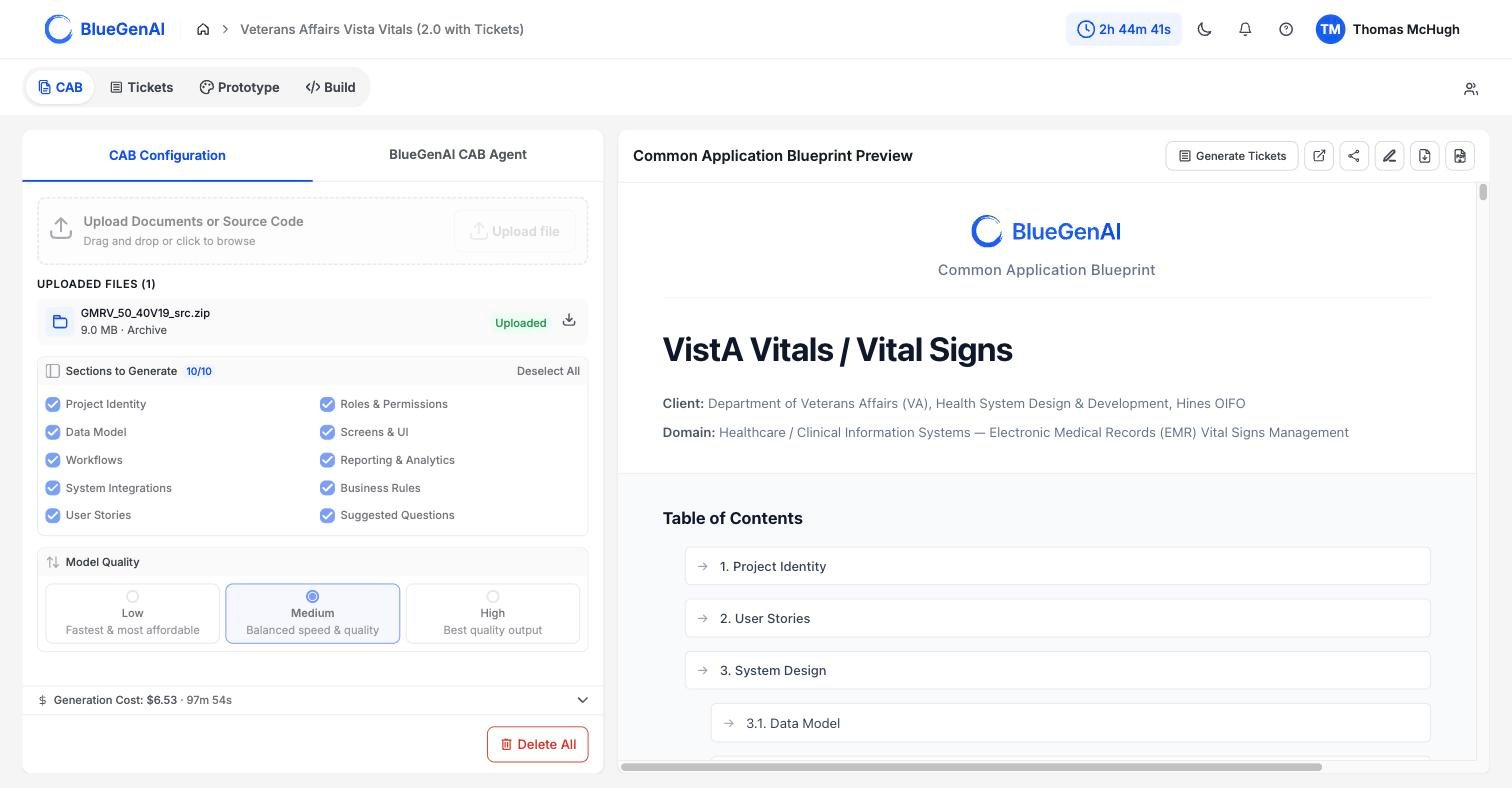
A CAB is generated from files you upload: written documents, images, and source code delivered as an archive.
 ## Source Code, Documentation, or both!
The BlueGenAI platform can tackle virtually any type of application code, no matter how dated or obscure. A COBOL copybook, a MUMPS routine, and a `.jsx` component - the platform will take it all! This gives you confidence that whatever the filetype or codetype which composes your legacy application - BlueGenAI can handle it.
You may also include any documents, spreadsheets, or other human-readable data and content to generate your CAB. Training guides, Standard Operating Procedures, Requirement Traceability Matrices, or transcripts from a team call - all can be used to generate or update your CAB.
What you choose before you start, and what happens during the run.
How uploaded source code becomes requirements.
## Related topics
- [Component Reference](/low-code/powerapps/build-mode/component-reference.md)
- [PowerApps Overview](/low-code/powerapps/overview.md)
- [ServiceNow Overview](/low-code/servicenow/overview.md)
## Source Code, Documentation, or both!
The BlueGenAI platform can tackle virtually any type of application code, no matter how dated or obscure. A COBOL copybook, a MUMPS routine, and a `.jsx` component - the platform will take it all! This gives you confidence that whatever the filetype or codetype which composes your legacy application - BlueGenAI can handle it.
You may also include any documents, spreadsheets, or other human-readable data and content to generate your CAB. Training guides, Standard Operating Procedures, Requirement Traceability Matrices, or transcripts from a team call - all can be used to generate or update your CAB.
What you choose before you start, and what happens during the run.
How uploaded source code becomes requirements.
## Related topics
- [Component Reference](/low-code/powerapps/build-mode/component-reference.md)
- [PowerApps Overview](/low-code/powerapps/overview.md)
- [ServiceNow Overview](/low-code/servicenow/overview.md)