> ## Documentation Index
> Fetch the complete documentation index at: https://docs.bluegenai.com/llms.txt
> Use this file to discover all available pages before exploring further.
# CAB-to-Ticket conversion
> How a finished blueprint becomes a set of Tickets, what the conversion produces, and what happens when you run it again.
**Generate Tickets** turns a finished blueprint into a set of Tickets, one per unit of work it finds.
 ## Before You Start
You need a finished blueprint. Running the conversion without one returns `CAB blueprint not found. Generate the blueprint first.`
## Before You Start
You need a finished blueprint. Running the conversion without one returns `CAB blueprint not found. Generate the blueprint first.`
 ## Running the Conversion
Go to **CAB** and generate a blueprint if you have not already. See [Step-by-Step Workflow](/cab/step-by-step-workflow).
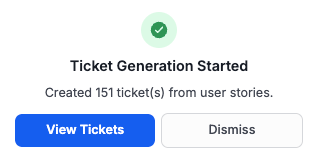
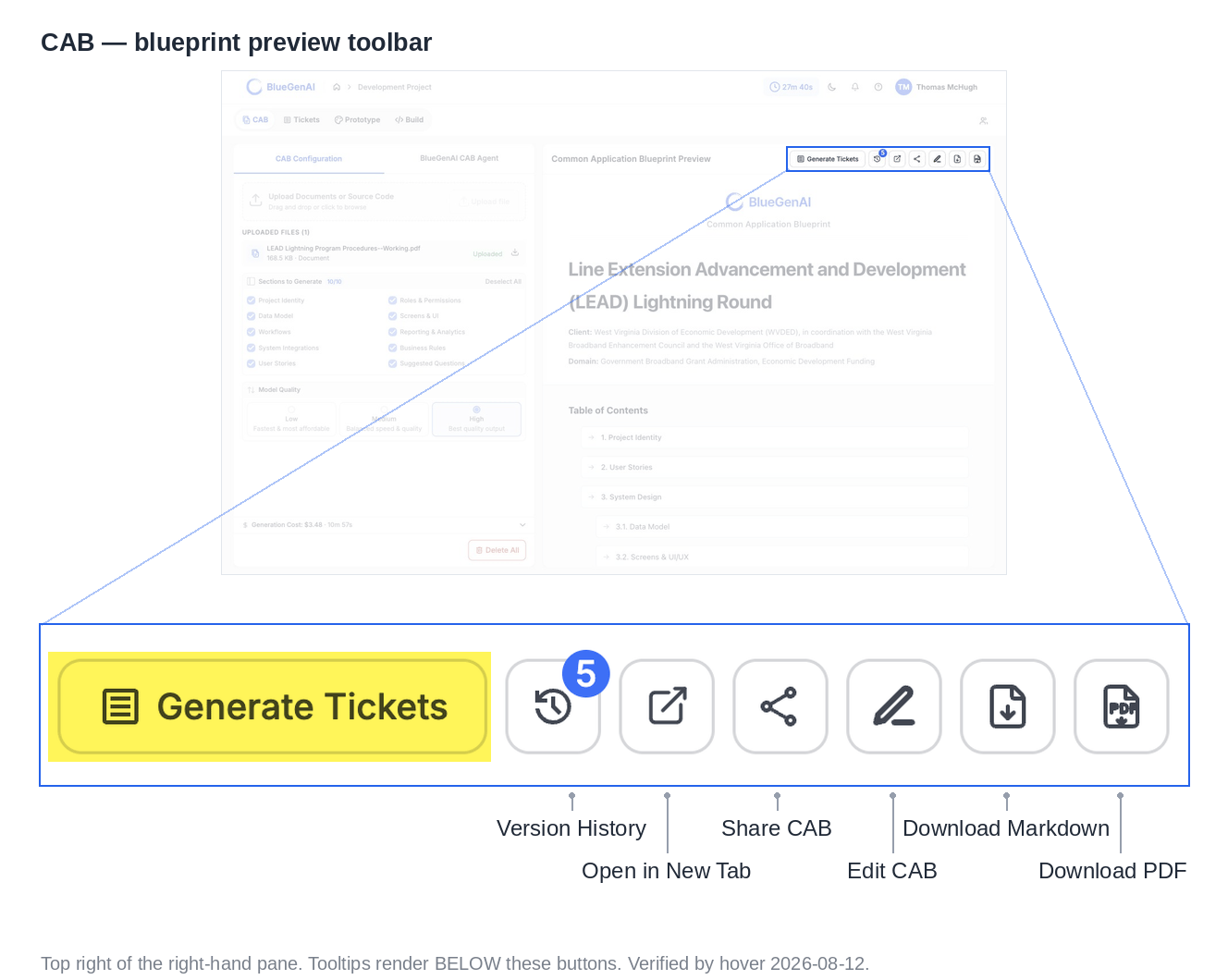
The control sits in the preview toolbar. On a Web project the Tickets appear straight away. On a low-code project the work is handed to an external service and a banner reports progress while it runs.
Every generated Ticket carries a **Source** of `CAB` and a **CAB Reference** pointing back at the blueprint element it came from.
## What the Conversion Produces
On a Web project, the conversion reads the **User Stories** section and creates one Ticket per story. Each keeps the story's title, its acceptance criteria, and its steps in the description, and each is stamped `Open`, `Medium` priority, and a work type of `User Story`.
Nothing is merged or skipped. The count of Tickets matches the count of user stories in your blueprint.
On low-code projects the conversion is handled by different process which caters to the unique properties of each low code platform. As a result, the work types and the level of breakdown differ from what is described here.
## Running It Again Replaces What Is There
**Regenerating deletes every Ticket with a source of `CAB` and creates a fresh set.** Manual Tickets are untouched.
Anything you changed on a generated Ticket goes with it: status, assignee, priority, epic assignment, and any note you added. Selecting "Generate Tickets" when tickets already exist will result in the warning message below. Please note that this change is permanent and cannot be undone.
> Tickets already exist from this Blueprint. Regenerating will replace all previously generated CAB tickets. Are you sure?
Regenerate after correcting your blueprint, not after working your Tickets. If your team has been updating Ticket statuses and assignments, regenerating discards those changes.
## What You Should See
The Tickets list fills with entries numbered `TKT-001` upward, each showing `CAB` in the Source column. Opening one shows the user story it came from, with its acceptance criteria and steps in the description and the originating element in **CAB Reference**.
## Your Next Step
Generated Tickets arrive ungrouped. Epics put them in build order.
How Epics group work into waves, and how they are generated.
Editing, reassigning, and deleting Tickets by hand.
## Related topics
- [What are Tickets and how do they help me?](/tickets/what-are-tickets.md)
- [Troubleshooting & FAQ](/tips-and-tricks/troubleshooting-faq.md)
- [Cloning your project](/admin-platform/cloning-your-project.md)
- [Weekly release notes](/changelog/weekly-release-notes.md)
- [BlueGenAI Documentation](/index.md)
## Running the Conversion
Go to **CAB** and generate a blueprint if you have not already. See [Step-by-Step Workflow](/cab/step-by-step-workflow).
The control sits in the preview toolbar. On a Web project the Tickets appear straight away. On a low-code project the work is handed to an external service and a banner reports progress while it runs.
Every generated Ticket carries a **Source** of `CAB` and a **CAB Reference** pointing back at the blueprint element it came from.
## What the Conversion Produces
On a Web project, the conversion reads the **User Stories** section and creates one Ticket per story. Each keeps the story's title, its acceptance criteria, and its steps in the description, and each is stamped `Open`, `Medium` priority, and a work type of `User Story`.
Nothing is merged or skipped. The count of Tickets matches the count of user stories in your blueprint.
On low-code projects the conversion is handled by different process which caters to the unique properties of each low code platform. As a result, the work types and the level of breakdown differ from what is described here.
## Running It Again Replaces What Is There
**Regenerating deletes every Ticket with a source of `CAB` and creates a fresh set.** Manual Tickets are untouched.
Anything you changed on a generated Ticket goes with it: status, assignee, priority, epic assignment, and any note you added. Selecting "Generate Tickets" when tickets already exist will result in the warning message below. Please note that this change is permanent and cannot be undone.
> Tickets already exist from this Blueprint. Regenerating will replace all previously generated CAB tickets. Are you sure?
Regenerate after correcting your blueprint, not after working your Tickets. If your team has been updating Ticket statuses and assignments, regenerating discards those changes.
## What You Should See
The Tickets list fills with entries numbered `TKT-001` upward, each showing `CAB` in the Source column. Opening one shows the user story it came from, with its acceptance criteria and steps in the description and the originating element in **CAB Reference**.
## Your Next Step
Generated Tickets arrive ungrouped. Epics put them in build order.
How Epics group work into waves, and how they are generated.
Editing, reassigning, and deleting Tickets by hand.
## Related topics
- [What are Tickets and how do they help me?](/tickets/what-are-tickets.md)
- [Troubleshooting & FAQ](/tips-and-tricks/troubleshooting-faq.md)
- [Cloning your project](/admin-platform/cloning-your-project.md)
- [Weekly release notes](/changelog/weekly-release-notes.md)
- [BlueGenAI Documentation](/index.md)