> ## Documentation Index
> Fetch the complete documentation index at: https://docs.bluegenai.com/llms.txt
> Use this file to discover all available pages before exploring further.
# Manually creating or editing tickets
> Writing Tickets by hand, editing generated ones, and deleting Tickets singly or in bulk.
You can write Tickets by hand alongside generated ones, and edit any Ticket after it exists.
## Creating a Ticket
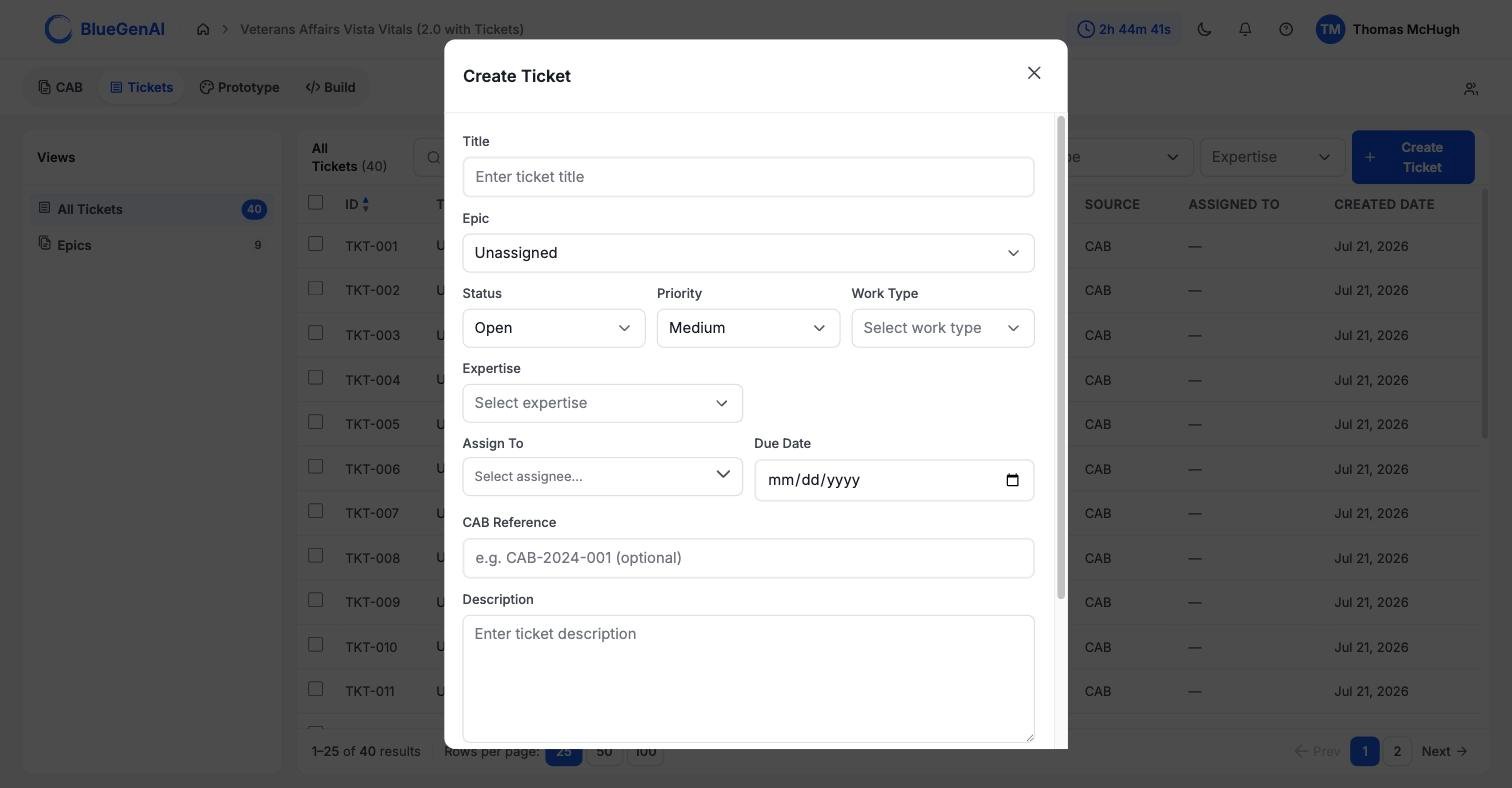 The control sits at the right of the filter bar on the **All Tickets** view.
Only **Title** is required. Three fields arrive with defaults: **Status** as `Open`, **Priority** as `Medium`, and **Epic** as `Unassigned`.
Work Type, Expertise, Assign To, Due Date, CAB Reference, Description, and Note are all optional, and can be filled in later.
The new Ticket takes the next number in sequence and appears in the list with a Source of `Manual`.
## Editing
Open a Ticket from the list to edit it. Every field a Ticket carries can be changed, including on generated ones.
Two shortcuts are worth knowing. **Status is editable from the list itself** through the dropdown in each row, without opening the Ticket. And moving a Ticket between Epics is done from the Epics view rather than here.
Editing the **Note** on a Ticket does not change your blueprint. The field is carried over from the blueprint when the Ticket is generated, and from that point the two are independent.
## Work Type Accepts Values Outside the List
**Work Type defaults to Open.** The dropdown offers a fixed set, but the field accepts anything, because generated Tickets can carry categories the list does not include.
This is why filtering by Work Type can return nothing on a project whose Tickets were generated. See [What are Tickets](/tickets/what-are-tickets).
## Deleting
Selecting a row checkbox replaces the filter bar with a selection toolbar showing the count, a **Clear** link, and a delete control naming how many are selected.
The control sits at the right of the filter bar on the **All Tickets** view.
Only **Title** is required. Three fields arrive with defaults: **Status** as `Open`, **Priority** as `Medium`, and **Epic** as `Unassigned`.
Work Type, Expertise, Assign To, Due Date, CAB Reference, Description, and Note are all optional, and can be filled in later.
The new Ticket takes the next number in sequence and appears in the list with a Source of `Manual`.
## Editing
Open a Ticket from the list to edit it. Every field a Ticket carries can be changed, including on generated ones.
Two shortcuts are worth knowing. **Status is editable from the list itself** through the dropdown in each row, without opening the Ticket. And moving a Ticket between Epics is done from the Epics view rather than here.
Editing the **Note** on a Ticket does not change your blueprint. The field is carried over from the blueprint when the Ticket is generated, and from that point the two are independent.
## Work Type Accepts Values Outside the List
**Work Type defaults to Open.** The dropdown offers a fixed set, but the field accepts anything, because generated Tickets can carry categories the list does not include.
This is why filtering by Work Type can return nothing on a project whose Tickets were generated. See [What are Tickets](/tickets/what-are-tickets).
## Deleting
Selecting a row checkbox replaces the filter bar with a selection toolbar showing the count, a **Clear** link, and a delete control naming how many are selected.
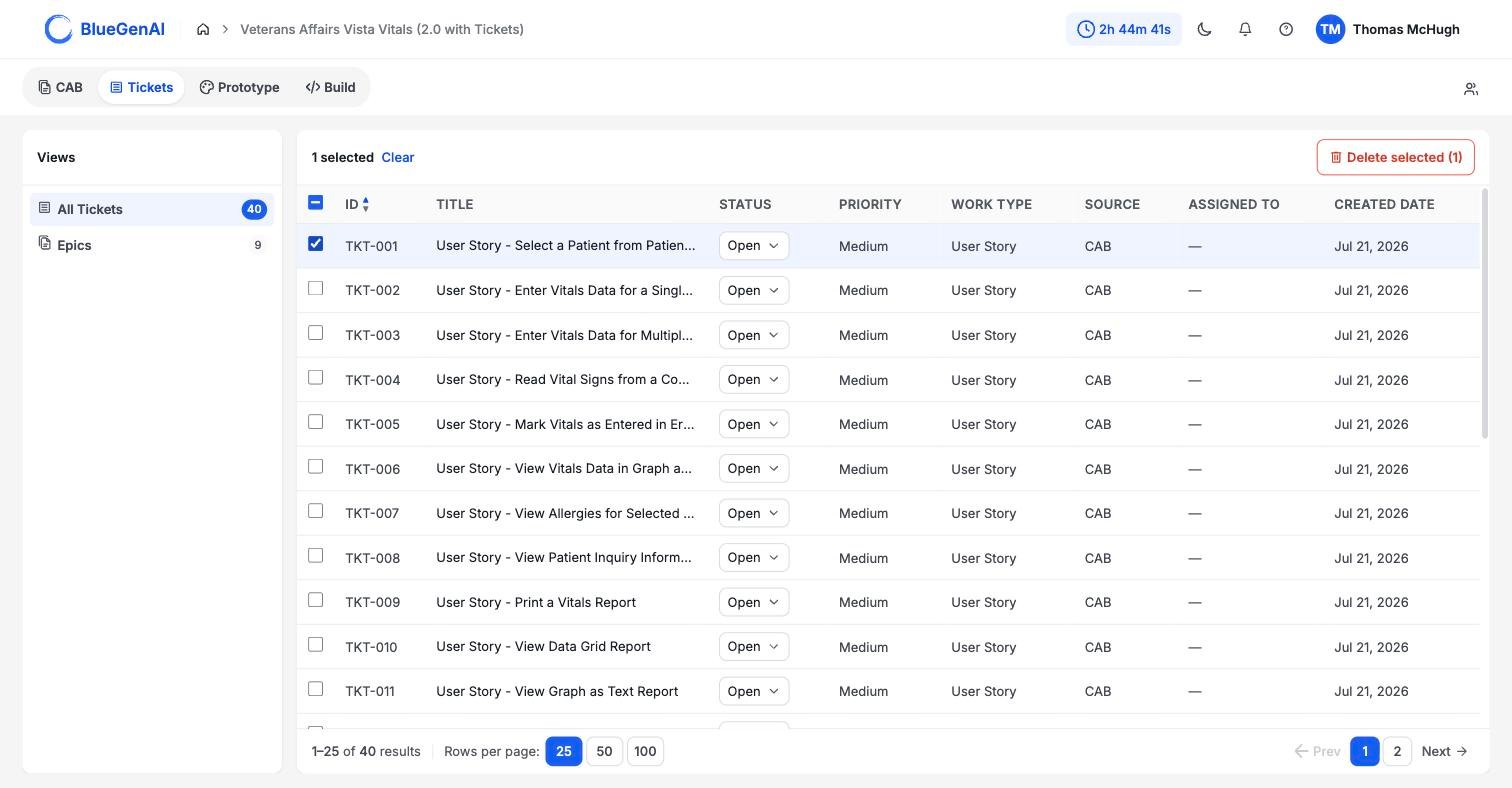 Deletion is **permanent**, and both the single and bulk deletion options will provide a confirmation/warning message informing the user.
## Your Next Step
Once you have the Tickets you want, the next question is what order to build them in.
How Epics group Tickets and set the build order.
Referencing a Ticket in a Build conversation.
## Related topics
- [What are Tickets and how do they help me?](/tickets/what-are-tickets.md)
- [Editing your CAB](/cab/editing-your-cab.md)
- [Epics](/tickets/epics.md)
- [CAB-to-Ticket conversion](/tickets/cab-to-ticket-conversion.md)
- [Collaboration Features](/admin-platform/collaboration-features.md)
Deletion is **permanent**, and both the single and bulk deletion options will provide a confirmation/warning message informing the user.
## Your Next Step
Once you have the Tickets you want, the next question is what order to build them in.
How Epics group Tickets and set the build order.
Referencing a Ticket in a Build conversation.
## Related topics
- [What are Tickets and how do they help me?](/tickets/what-are-tickets.md)
- [Editing your CAB](/cab/editing-your-cab.md)
- [Epics](/tickets/epics.md)
- [CAB-to-Ticket conversion](/tickets/cab-to-ticket-conversion.md)
- [Collaboration Features](/admin-platform/collaboration-features.md)