> ## Documentation Index
> Fetch the complete documentation index at: https://docs.bluegenai.com/llms.txt
> Use this file to discover all available pages before exploring further.
# Git Integration
> Checkout, pull, and push your generated project against its repository, from the Codebase panel footer.
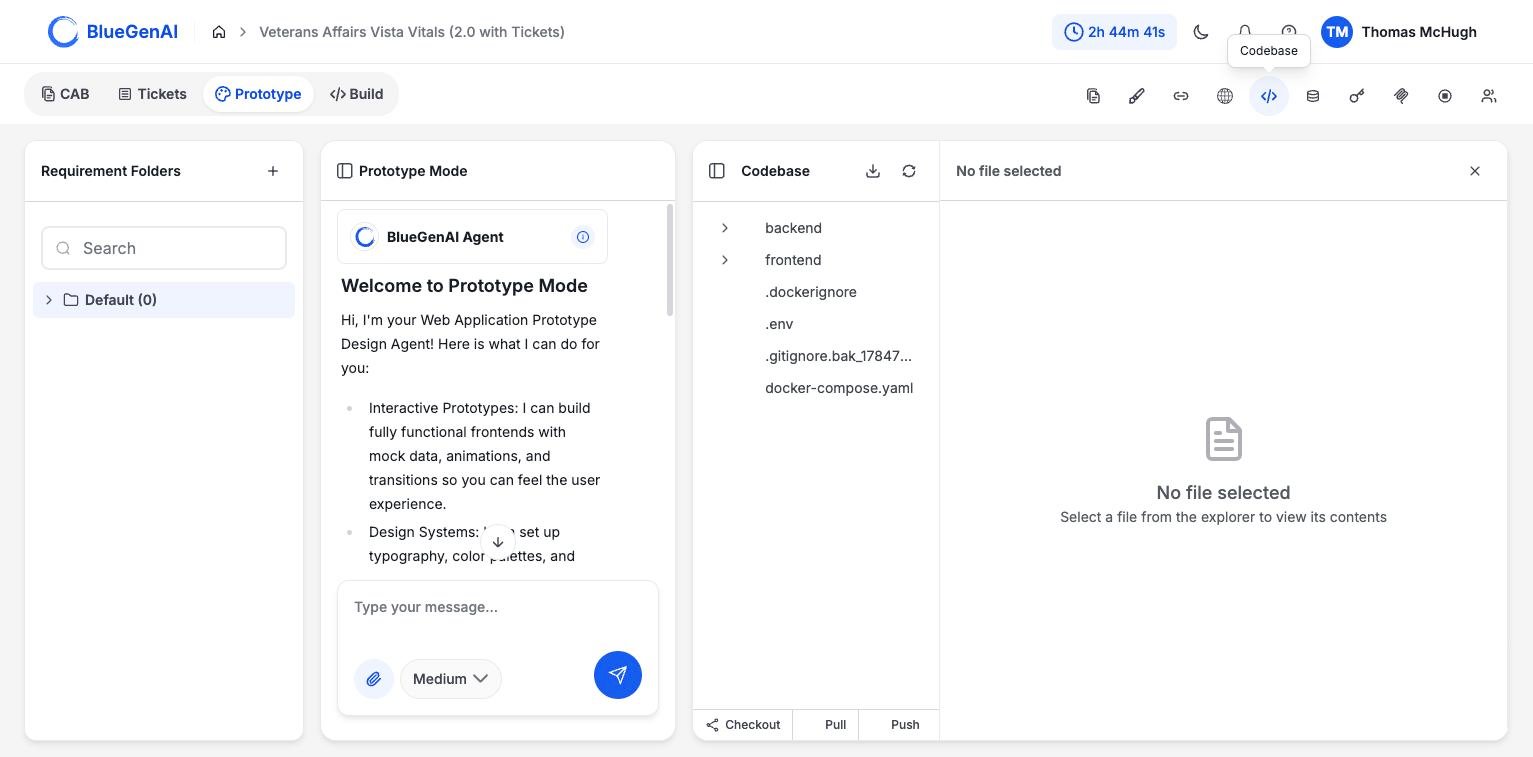 ## The Three Controls
**Checkout** switches branches.
**Pull** brings remote changes into your project.
**Push** sends your project's commits to the remote. If there are uncommitted changes, you are asked for a commit message so they can be committed and pushed together.
## What Blocks Them
Git operations are refused while a build is running, because the agent is writing to the same files.
| Message | What it means |
| -------------------------------------------------------------------------------------------------- | ------------------------------------------- |
| `Cannot pull while development is in progress. Please wait for the current operation to complete.` | A build is running |
| `Cannot push while development is in progress. Please wait for the current operation to complete.` | A build is running |
| `There are uncommitted local changes. Pulling will discard them.` | Pull would overwrite work not yet committed |
| `There are uncommitted changes. Provide a commit message to commit and push.` | Push needs a message before it can proceed |
| `Project has no working directory` | Nothing has been built yet |
## Where the Repository Lives
Projects are backed by a self-hosted Git server rather than an external host. Access is managed for you, and the platform can reset your access token if it stops working.
## This Is Not the Same as Checkpoints
The controls above are for the project's repository: branches and moving commits to and from a remote.
**Checkpoints are separate and automatic.** The platform saves one with every prompt you send the build agent, and you restore one from the conversation rather than from here. See [Build Agent Guide](/web-apps/build-mode/build-agent-guide).
Use Git when you want the code in a repository your other tools can reach. Use a checkpoint restore when you want to undo what the agent just did.
## Your Next Step
With the code in a repository, the rest of your toolchain can reach it.
The source tree and the application database.
What the agent is allowed to write, and where.
## Related topics
- [Integrations](/admin-platform/integrations.md)
- [Codebase and Database view](/web-apps/codebase-and-database.md)
- [Build Agent Guide](/web-apps/build-mode/build-agent-guide.md)
- [Weekly release notes](/changelog/weekly-release-notes.md)
- [BlueGenAI Documentation](/index.md)
## The Three Controls
**Checkout** switches branches.
**Pull** brings remote changes into your project.
**Push** sends your project's commits to the remote. If there are uncommitted changes, you are asked for a commit message so they can be committed and pushed together.
## What Blocks Them
Git operations are refused while a build is running, because the agent is writing to the same files.
| Message | What it means |
| -------------------------------------------------------------------------------------------------- | ------------------------------------------- |
| `Cannot pull while development is in progress. Please wait for the current operation to complete.` | A build is running |
| `Cannot push while development is in progress. Please wait for the current operation to complete.` | A build is running |
| `There are uncommitted local changes. Pulling will discard them.` | Pull would overwrite work not yet committed |
| `There are uncommitted changes. Provide a commit message to commit and push.` | Push needs a message before it can proceed |
| `Project has no working directory` | Nothing has been built yet |
## Where the Repository Lives
Projects are backed by a self-hosted Git server rather than an external host. Access is managed for you, and the platform can reset your access token if it stops working.
## This Is Not the Same as Checkpoints
The controls above are for the project's repository: branches and moving commits to and from a remote.
**Checkpoints are separate and automatic.** The platform saves one with every prompt you send the build agent, and you restore one from the conversation rather than from here. See [Build Agent Guide](/web-apps/build-mode/build-agent-guide).
Use Git when you want the code in a repository your other tools can reach. Use a checkpoint restore when you want to undo what the agent just did.
## Your Next Step
With the code in a repository, the rest of your toolchain can reach it.
The source tree and the application database.
What the agent is allowed to write, and where.
## Related topics
- [Integrations](/admin-platform/integrations.md)
- [Codebase and Database view](/web-apps/codebase-and-database.md)
- [Build Agent Guide](/web-apps/build-mode/build-agent-guide.md)
- [Weekly release notes](/changelog/weekly-release-notes.md)
- [BlueGenAI Documentation](/index.md)