
The Three Roles
Owner is not granted, it is earned by creating the project. The two roles you can hand out are Editor and Viewer.
Inviting Someone
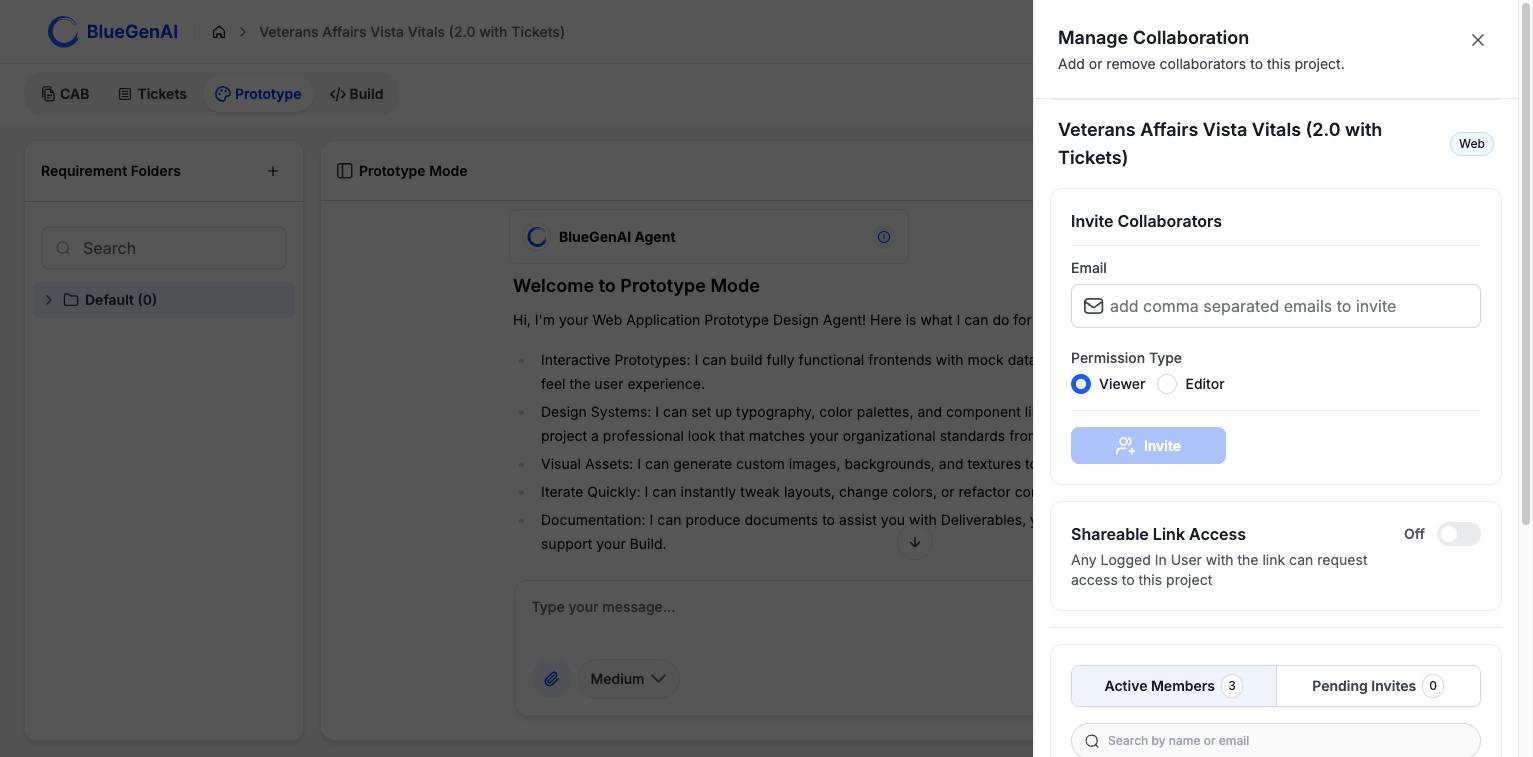
Manage Collaboration. Invitations take a role; the members list shows who already has one.
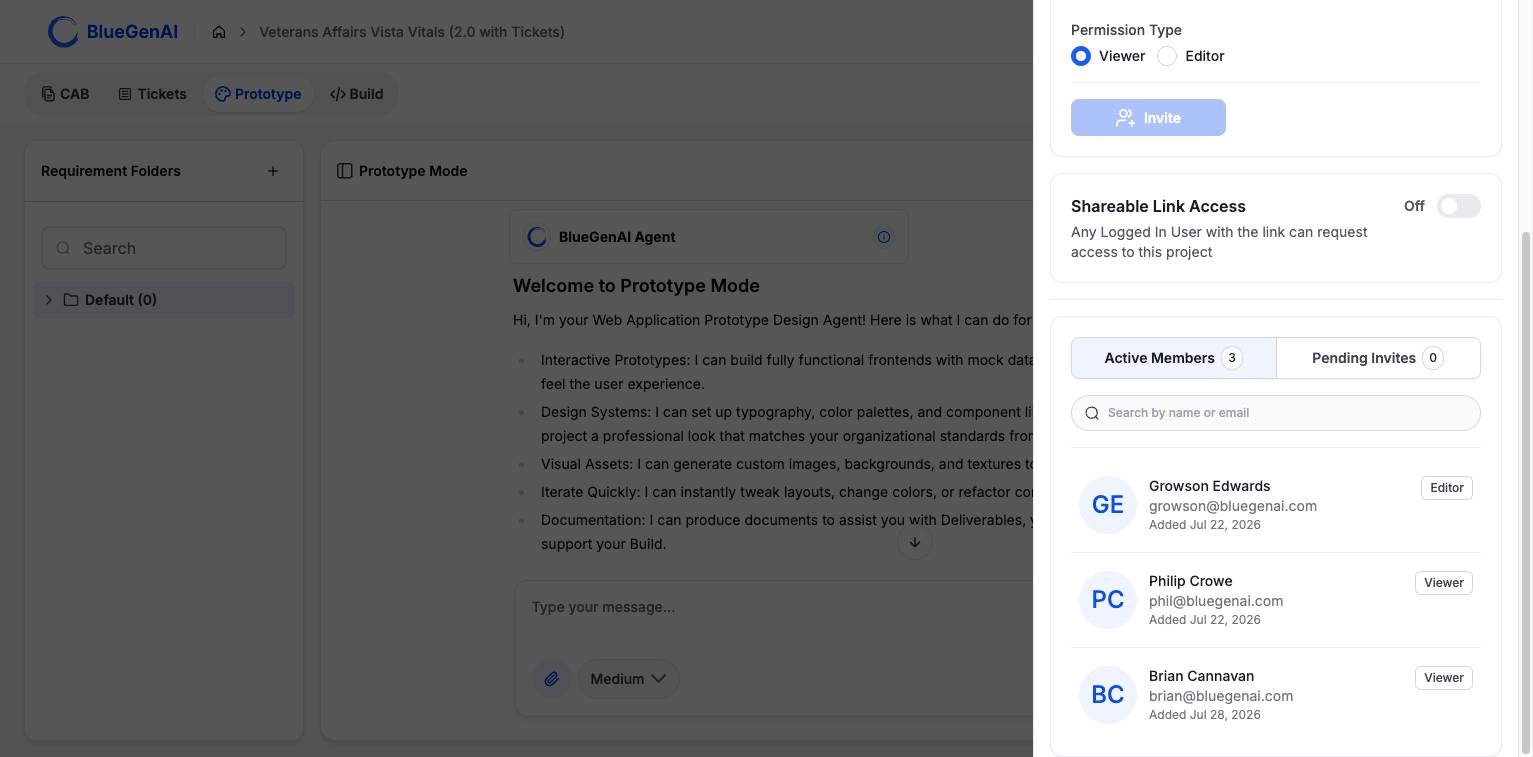
Members are separated into those who have accepted and invitations still outstanding.
Who Pays for a Collaborator’s Work
Each collaborator carries a billing preference, set when you invite them. It decides whose credit balance an agent run draws from: the project owner’s, or the collaborator’s own. This matters on a project where several people are prompting the agents. A collaborator set to pay for themselves draws on their own balance; one set to be paid for by the owner draws on the owner’s.What a Role Changes
Roles are checked wherever an action would alter the project. A Viewer can open the workspace, read the CAB, and look at Tickets; the controls that change things are unavailable to them. Read-only questions are treated separately from changes, so a collaborator may be able to ask the agent about a codebase on a project where they cannot build.Two Ways to Share
These are different mechanisms for different audiences, and confusing them is the easiest mistake to make here.
Shareable Link Access is a toggle in the drawer. Any signed-in user holding the link can ask to join the project. Nobody gets in without approval.
Read-only share links are per item and need no account. This is how a blueprint reaches a client or a business stakeholder who never uses the platform. See Editing your CAB.
Your Next Step
Copy a project for another client
What a clone brings with it, and what it leaves behind.
Share a blueprint for review
How a specification reaches people who are not platform users.