
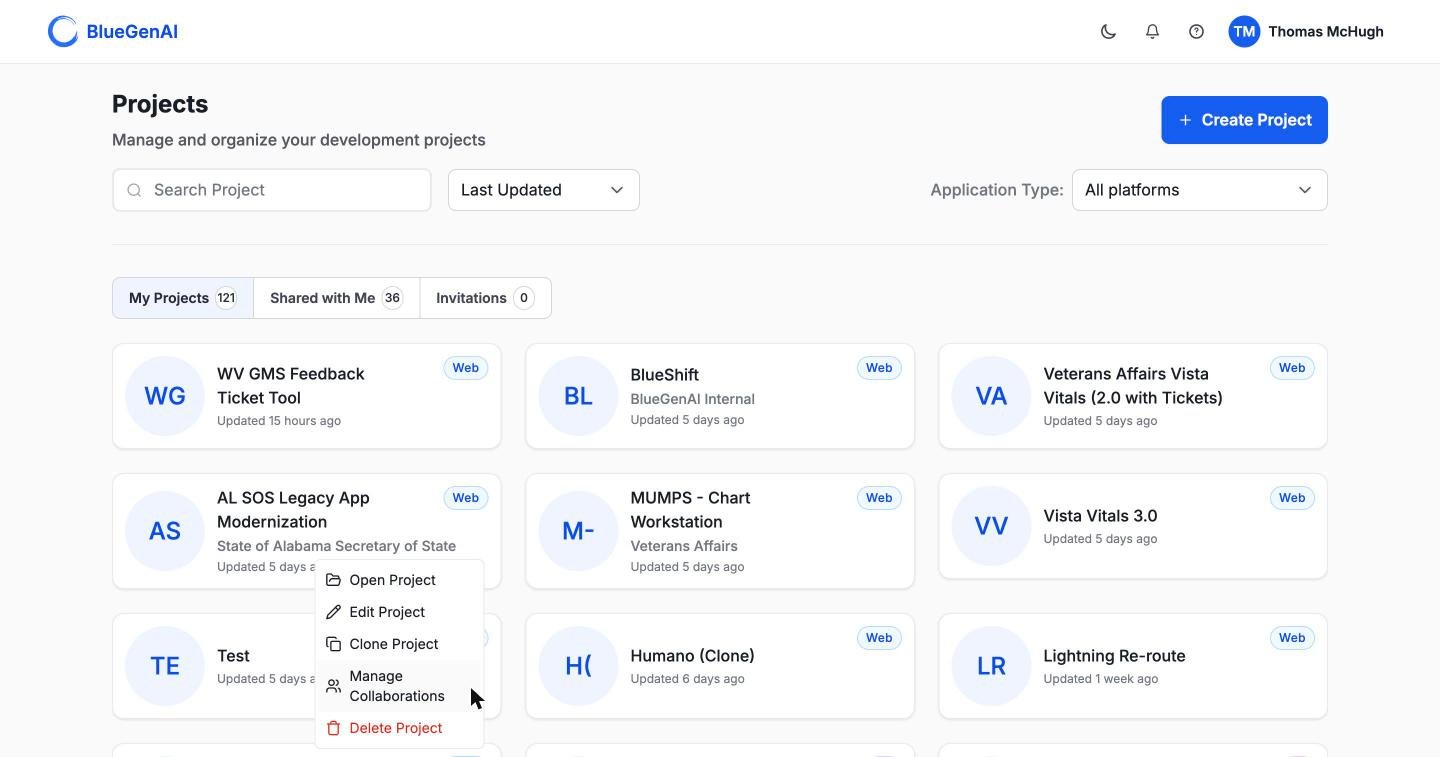
The project card menu. Clone sits between Edit and Manage Collaborations.
What a Clone Copies
On a web project, almost everything:
On a low-code project, only the blueprint. Files, artifacts, requirement folders, source, design system, credentials, and MCP connections are all left behind. A cloned low-code project starts with its specification and nothing else.
Platform credentials carry over only when the clone stays on the same platform. A clone that changes platform starts without them, because the connection details of one platform mean nothing to another.
Tickets and Epics Do Not Come with It
A clone brings the specification, not the work breakdown. No Tickets and no Epics are copied, even on a web project where everything else is. That is usually what you want. Generate Tickets from the cloned blueprint and you get a fresh set matching the specification as it now stands, rather than inheriting statuses and assignments from a different engagement. See CAB-to-Ticket conversion.While It Runs
Cloning a project with source code takes a while, and the copy appears on your dashboard while the work is still going on. Its state moves from cloning to completed. If it fails, the card offers a retry. Retries are capped at three, after which the message reads:Maximum retry attempts (3) exceeded. Please delete this clone and create a new one.Deleting a failed clone removes only the copy. The original is untouched.
Your Next Step
Generate work from the cloned blueprint
Turning a specification into Tickets and Epics.
Add people to the new project
Roles, invitations, and sharing.