
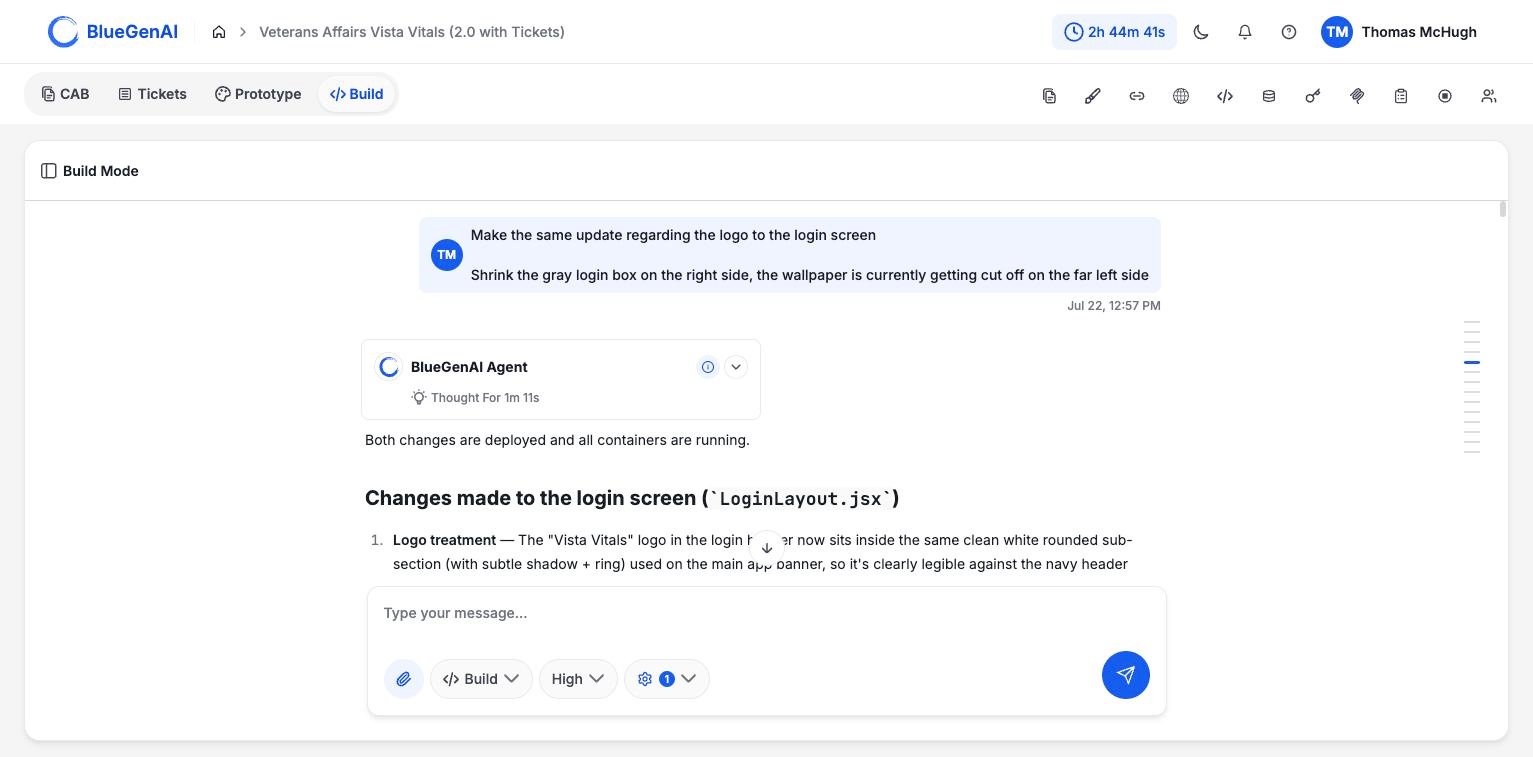
Build Mode. The conversation runs down the left; the composer carries the mode selector, quality selector, and agent settings.
How It Differs from Prototype Mode
Prototype Mode mocks up a front end using primarily html and with no infrastructure behind it. Build Mode builds the real thing: front end, backend, database, and everything needed to run and connect them. A prototype can be modified in seconds, making it useful to support requirement sessions or design discussions. A build takes longer because it requires substantive edits to a full application.Build Mode starts a fresh conversation. It does not inherit your Prototype Mode chat history, and it does not pick up your Design System either. Anything from prototyping that should influence the build has to be attached to your prompt. See Output Handoff.
The Panel Rail
The icons at the top right open panels beside your work. Ten in Prototype Mode, eleven in Build, which adds Testing Context.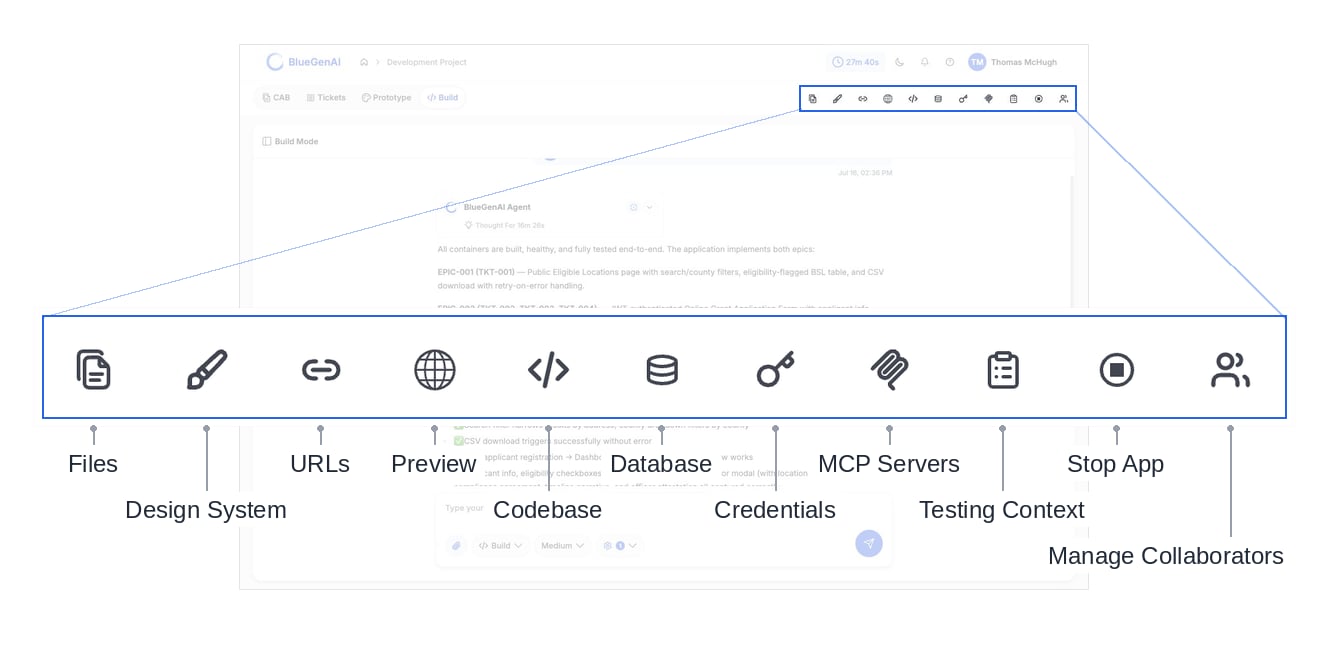
The panel rail in Build Mode, with every icon named.
Two Ways of Talking to the Agent
Inside Build Mode the agent chat box carries its own selector with two options, and the distinction matters.
Build is the default. Ask is a read-only sub-mode you switch to when you want to understand something rather than change it.
“Build” is the name of both the mode tab and the composer’s default option.They are not the same control: the tab decides which workspace you are in, and the composer decides what the agent does with your next message.Throughout this documentation, Build Mode means the workspace and the composer’s Build option means the selector.
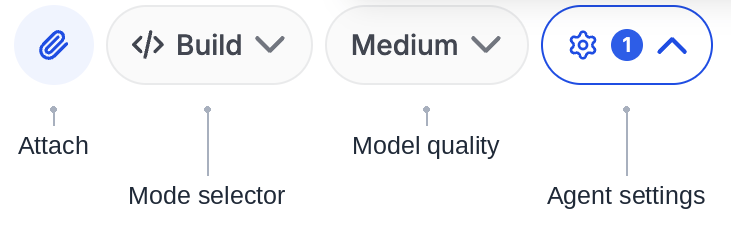
Choosing a Quality Setting
Beside the composer’s mode selector sits a quality selector offering Medium and High.When to Use Build
- The requirements are settled enough to build against. Tickets, a corrected blueprint, or a ready concept you can manage manually.
- You need a comprehensive prototype. When you want to explore a thorough and detailed prototype with actual and real foundational architecture.
- You need something people can use or which can be shared. A build will be a full application and hosted with a URL you can share with stakeholders.
When Not To
- You are still deciding what to make. If you are still Refining your CAB, Iterating mockups in Prototype Mode, or reviewing and adding tickets - you may want to wait to initiate your Build.
- You only want to understand existing code. Use the composer’s Ask option, which changes nothing.
Your Next Step
A build starts with a prompt, and what happens next is worth knowing before you send one.Run your first build
What happens after you send a build prompt.
See what the agent can do
Its tools, its rules, and the limits it works within.