
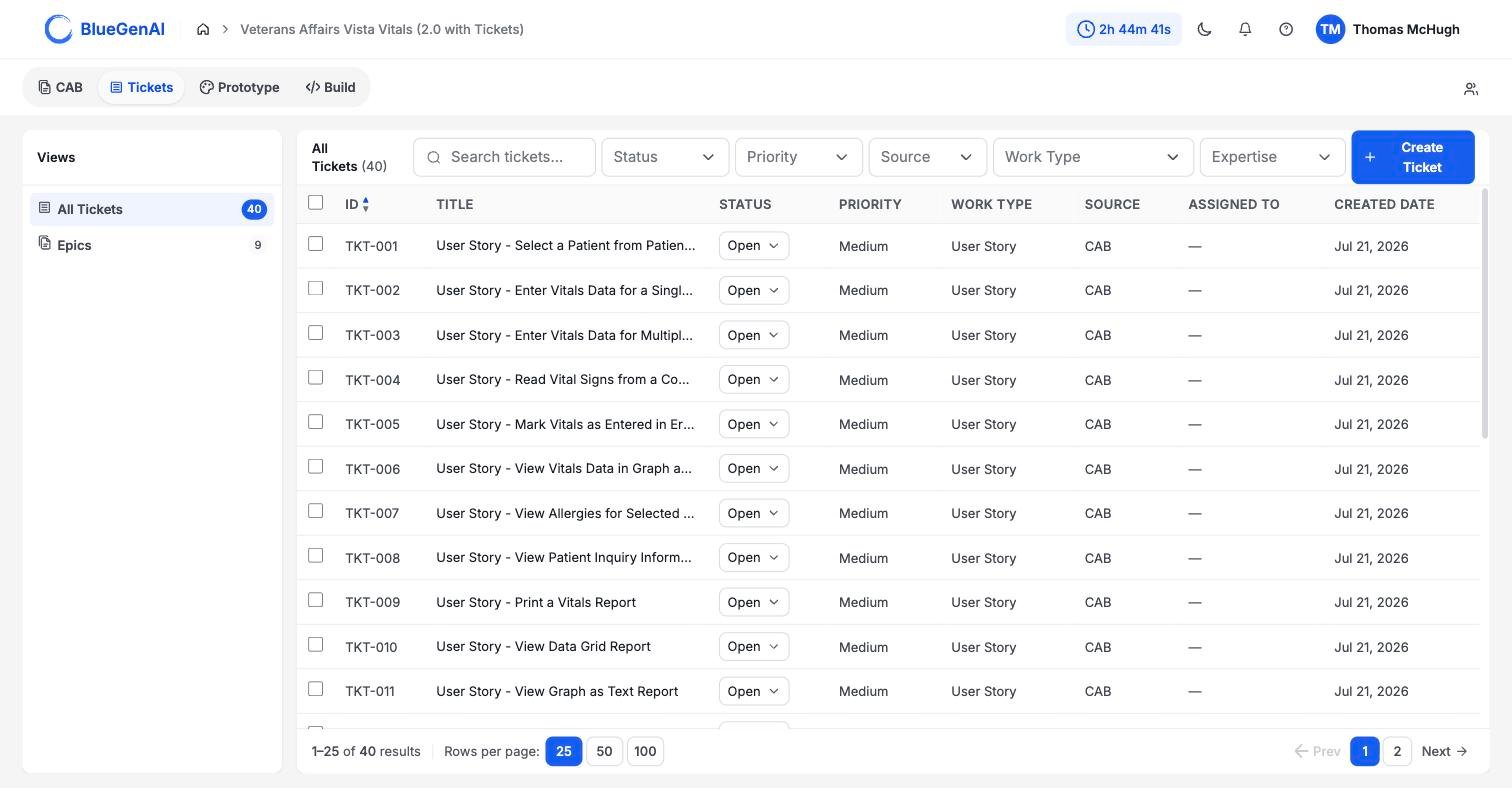
The Tickets list. Every column except the title is sortable, and the status dropdown is editable directly from the row.
Where Tickets Come From
Every Ticket carries a Source of eitherCAB or Manual to clearly identify it’s origin.
CAB means the Ticket was generated from your blueprint. Each one keeps a CAB Reference pointing back at the element it came from, so you can trace a piece of work to the requirement that produced it. See CAB-to-Ticket conversion.
Manual means somebody wrote it. See Manually creating or editing tickets.
What is in a Ticket
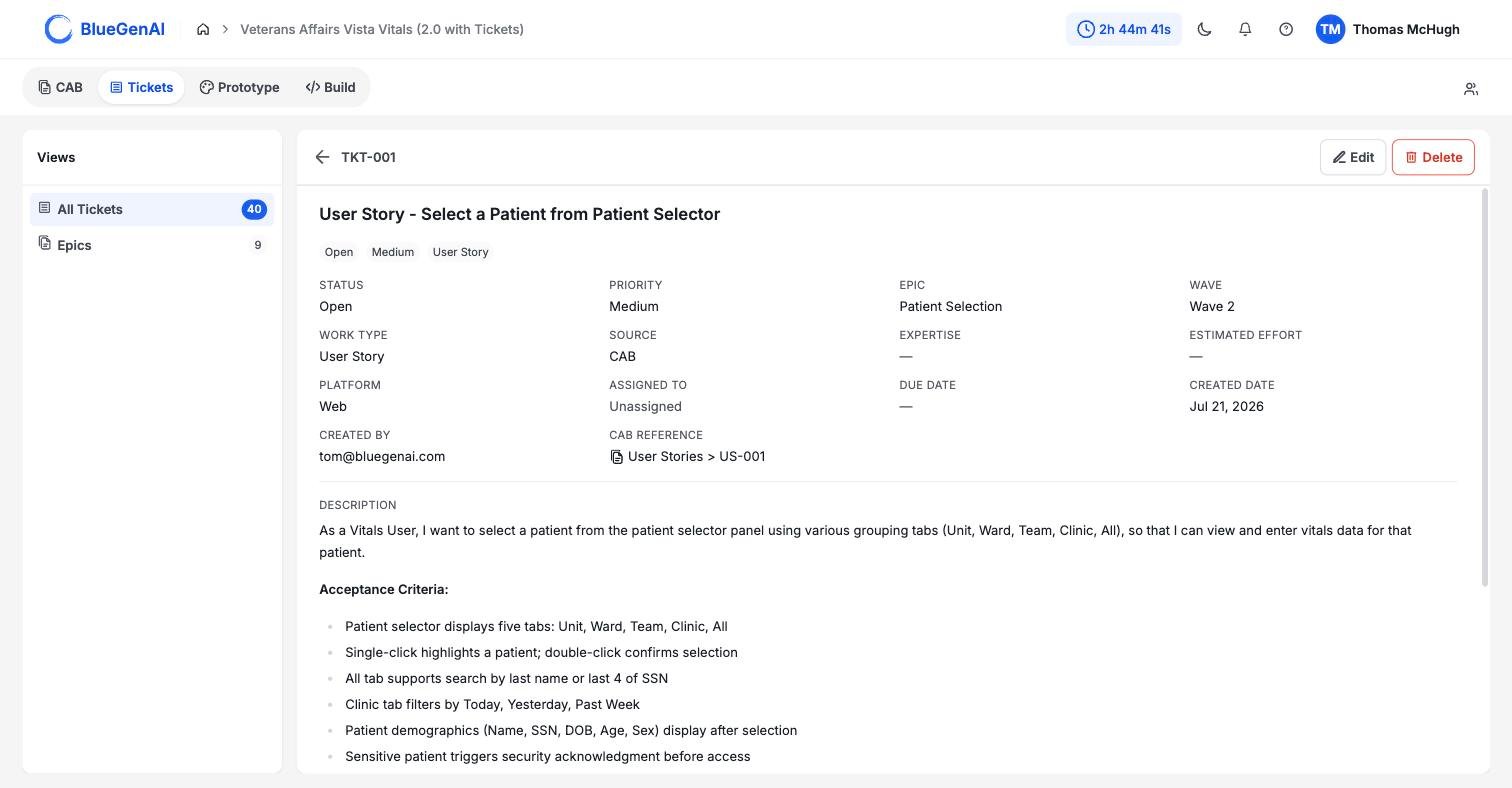
A Ticket opened from the list. Empty fields render as an em dash.
Status Is a Label, Not a Workflow
A Ticket can move from any status to any other, in any direction.Closed is not final, and there is no rule requiring In Progress before it. Tickets may be re-opened as necessary to refine that functionality.
The field records where a piece of work stands, in the judgement of whoever set it. It does not gate anything, block anything, or trigger anything.
If your team needs a sequence, that agreement lives with your team rather than in the product.
Epic and Wave Are the Same Thing
The detail panel shows Epic and Wave as two adjacent fields, which makes them look like two attributes. They are one. An Epic is a group of Tickets. Its position in the build order is its Wave. Move an Epic and its Wave changes; you never set a Wave on a Ticket directly. See Epics.Filtering the List
The filter bar offers search plus five dropdowns: Status, Priority, Source, Work Type, and Expertise. All five accept more than one value at a time. Sort, page, and filter state all live in the URL, so a filtered list can be shared as a link.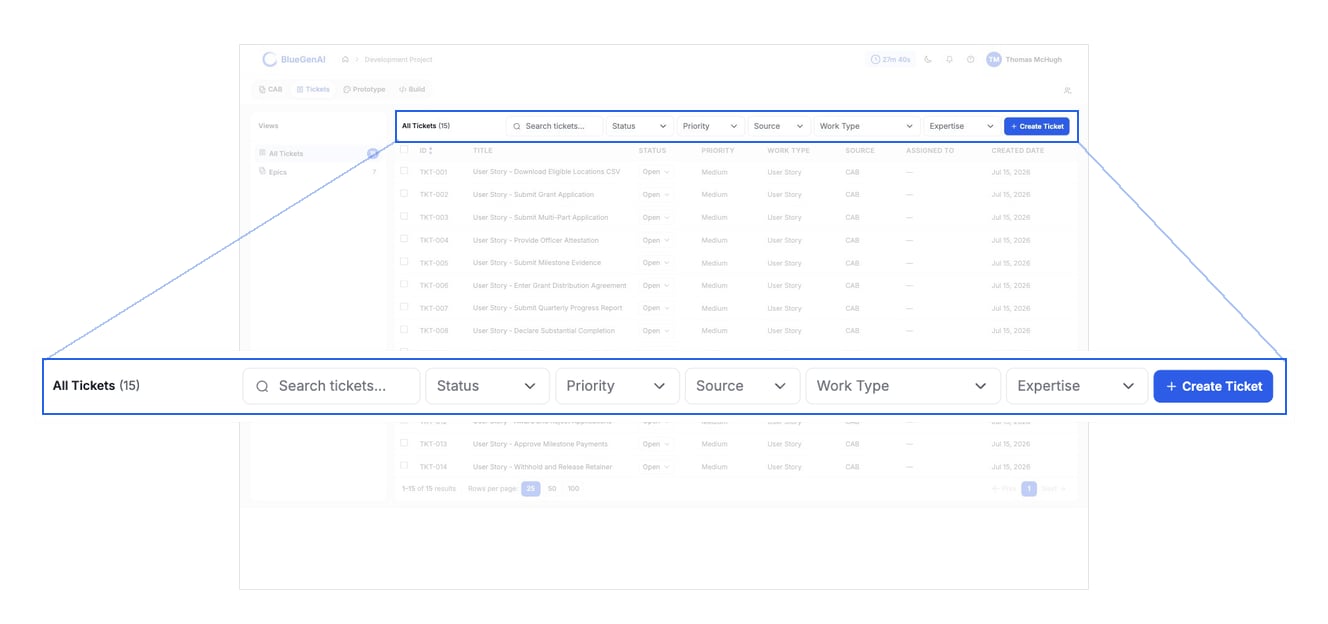
The filter bar. Five dropdowns, each accepting more than one value at a time.
The Work Type filter does not list
User Story, and Tickets generated from a blueprint on a Web project all carry exactly that work type.Filtering by Work Type on such a project returns nothing. The filter offers 10 options; the product recognises 11. Use search, or filter by Source instead, until the option is added.Your Next Step
Tickets are most useful once they are grouped and ordered, which is what Epics are for.Group and sequence your work
How Epics set the build order, and what re-evaluating them costs you.
Generate Tickets from your blueprint
What the conversion produces, and what happens when you run it twice.