
Referencing a Ticket
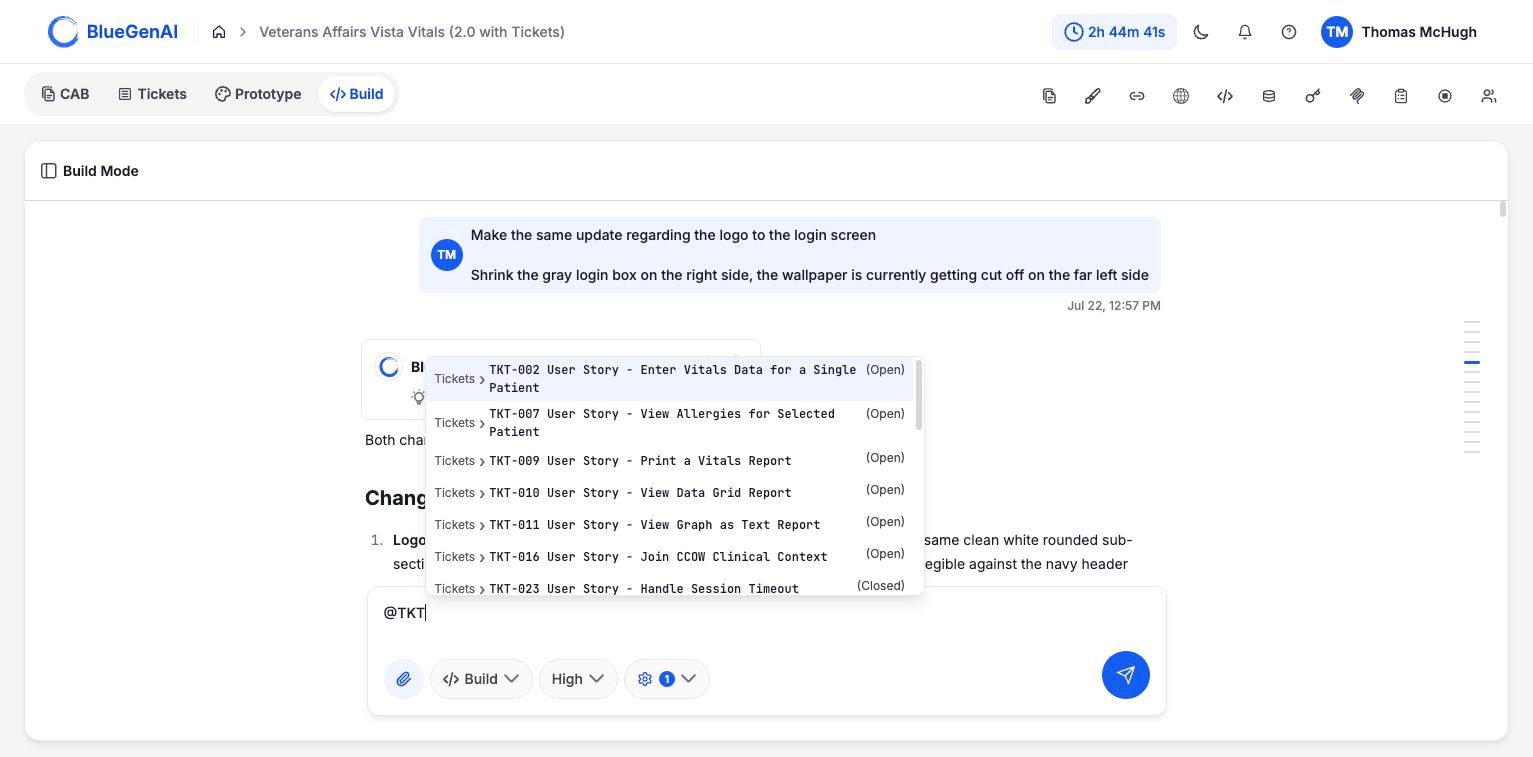
Typing@ followed by part of a Ticket id or title in Build Mode attaches that Ticket to your prompt. This is how the Build agent receives the requirement the Ticket came from, so you do not have to restate it.
1
Open Build Mode
The mention gesture works in the Build Mode composer.
2
Type @ and at least two more characters
Typing
@ on its own does nothing. One character after it is not enough either. The picker opens at two.Search covers both ids and titles, so @TKT lists everything in id order while @allerg finds the Ticket about allergies wherever it sits.3
Choose a Ticket
Each row shows the ticket id and title, with the current status in brackets at the right, so you can see at a glance whether you already closed it.
What the Agent Receives
A referenced Ticket brings its blueprint context with it. Behind the mention, a read-only agent searches your blueprint for the parts relevant to that Ticket and passes them into the conversation. That agent can read and search, and nothing else. It cannot edit files, run commands, or reach the internet; its job is to find the right requirement and hand it over. The practical effect is that a short prompt carries the full requirement. You do not need to paste acceptance criteria into the composer.Sequencing a Build with Epics
Epics set the order work should be built in, and that order is worth following. Wave 1 usually holds the foundations later work depends on: authentication, core records, the shell of the application. A workable rhythm is one Epic at a time: open the Epic, work its Tickets in order, then move to the next Wave. Each Build conversation continues on the existing codebase rather than starting over, so the second Epic builds on the first. See Epics for how the ordering is set.What You Should See Upon Completion
The agent responds having read and implemented the Ticket or Epic’s requirement(s). It’s report upon completion will include details about how the functionality was implemented, and if Test Mode was enabled - will include Test results which track to each Tickets Acceptance Criteria.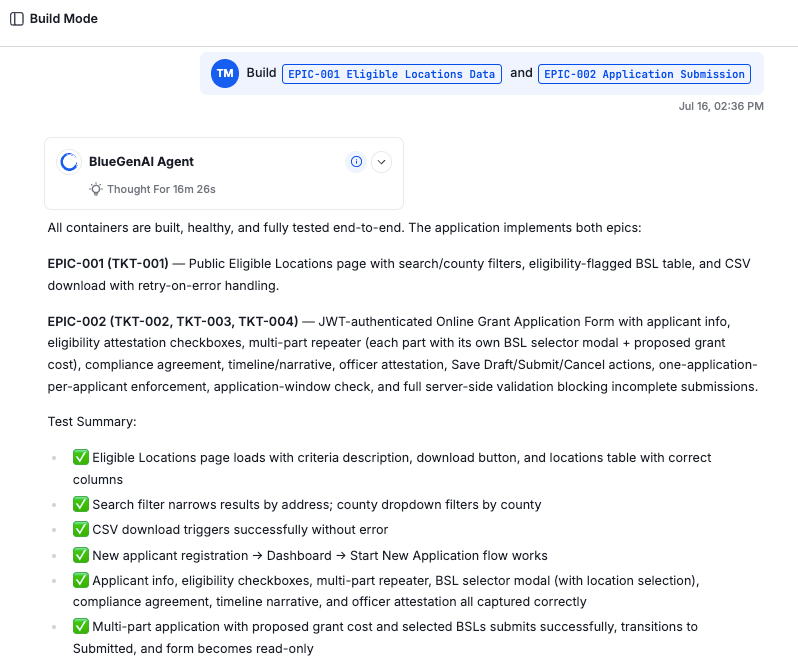
Your Next Step
Building from Tickets is one half of Build Mode. The other is knowing what the agent can and cannot do on your behalf.Understand what the build agent does
Its tools, its operating rules, and the limits it works within.
Group your work first
How Epics set the order work gets built in.