
What the Agent Can Do
Nineteen capabilities, grouped by what they affect.What It Does Without Being Asked
The agent brings your application up and fixes what breaks, before it replies. Its instructions require it to run the containers, confirm they are healthy, and resolve errors as part of the same turn. A build that reports success has been run, not just written. It also generates internal secrets for you rather than asking. Database credentials, session keys, and signing keys are created automatically; only third-party service keys are requested.Boundaries It Cannot Cross
These are enforced in the platform rather than requested in the prompt, so they hold regardless of what you ask for. It cannot leave your project. Any path resolving outside your project’s workspace is rejected. It cannot see your secrets. Values in.env files are masked before the agent reads them. It knows a credential is set, and can write a stored value back, but the value itself is never shown to it.
Dangerous commands are blocked. Shell commands are parsed and classified before they run, rather than matched against a list of forbidden words. Deleting a build directory inside your project is allowed; deleting outside it is not, and neither is smuggling one command inside another.
Ask mode is read-only. Switching the composer to Ask gives the agent only the four capabilities that read: read a file, list files, search, and produce a tree. The rest are withheld, so it cannot change anything even if you ask it to. The code marks this a security boundary.
Browser testing runs in isolation. The sub-agent that tests your application gets browser controls only. It has no access to your files, your terminal, or the web.
The One Setting You Control
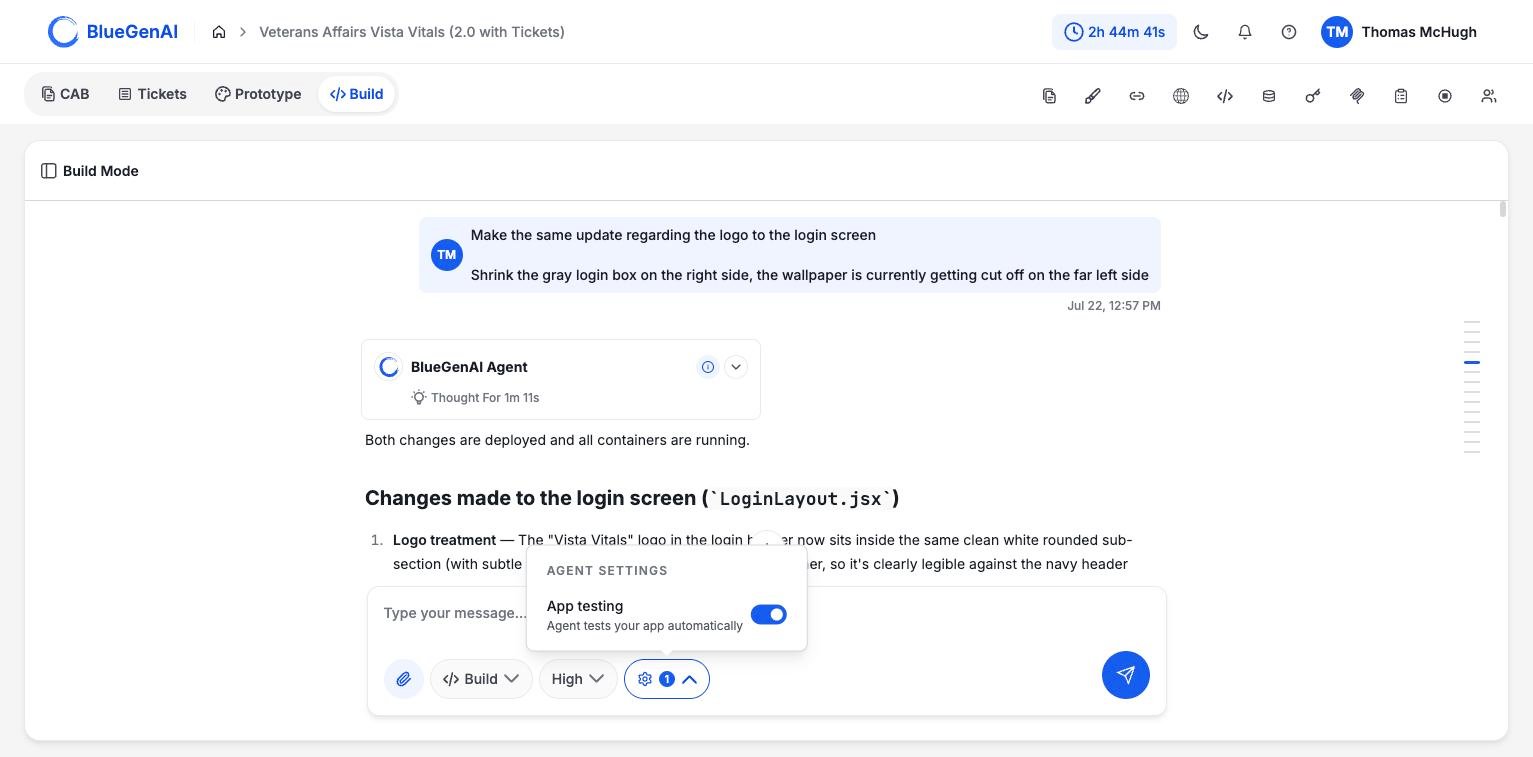
The agent settings menu holds a single toggle. The badge on the gear counts settings that are on, not settings that exist.
1.
When It Stops to Ask
If your request is ambiguous, the agent writes out its understanding of the requirements and waits for you to approve or correct it before writing code. See Workflow.Checkpoints and Restoring
Every prompt you send the build agent creates a checkpoint automatically. You do not ask for one, and there is nothing to configure; each change to your project produces a save point you can return to. A checkpoint appears as a small badge beneath the agent’s reply, showing a short reference and the checkpoint’s title. Hover the badge and aRestore button appears. Selecting it takes your project’s code back to that point.
Restoring is available in Build Mode, and only to people who can change the project. It is unavailable while the agent is working.
After a restore the conversation continues on a new branch. The earlier branch is kept and marked in the conversation, so the history of what you tried is not lost even though the code has moved back.
Restoring also rebuilds the running application, which takes a few minutes. The platform waits for the containers to come back healthy rather than reporting success immediately.
For version control you operate yourself (branches and pushing to a repository), see Git Integration.
How Secrets Are Handled
The agent that writes your application never sees the values of your credentials.- Values are masked before the agent reads them. It can see that a credential is set and refer to it by name; the value itself never reaches it.
- It can write a stored value into your application’s configuration without that value passing through the conversation.
- Internal secrets (database passwords, session and signing keys) are generated automatically. The only things you are asked for are keys that come from outside.
- You can decline any request. The agent proceeds without it and is instructed not to ask again for the same one.
Your Next Step
Knowing the limits makes the read-only mode more useful, because it is the safe way to interrogate what the agent built.Ask questions without changing anything
What the read-only mode can answer, and why it cannot edit.
See the stack it builds on
The technologies, conventions, and project layout.