
There is no handoff button. Nothing in Prototype Mode exports, promotes, or hands a prototype to Build Mode. The only route between them is the mode tab, and the transfer is something you do rather than something the product does for you.
What Transfers on Its Own
Nothing from the conversation. Switching mode navigates you to Build Mode and no more. Build Mode opens a fresh conversation and does not inherit your Prototype chat history, so the agent there has not seen anything you discussed. The Design System does not carry either. It applies to what the prototype agent produces, and the build agent does not read it. If your build needs to match those colours and type choices, say so in the prompt or attach the reference. What does persist is the project itself. Files stay in the project, so anything you saved is still there when you arrive.Carrying Your Work Forward
1
Save what you want to keep
When the agent produces something worth keeping, save it from the card in the conversation. Saved items land in the project’s Files, under
System Generated.Save while you are still in Prototype Mode. An unsaved artifact lives in a conversation you are about to leave behind.2
Switch to Build Mode
Use the mode tab at the top of the workspace. This is the only route.
3
Attach your saved files to the first prompt
Use the paperclip in the Build composer and attach what you saved. This is the actual handoff: the build is only as good as what you attach.Attachments accept images and documents, including
.pdf, .docx, .md, .txt, .html, .json, and .csv.4
Say what the attachment is for
The agent has no memory of the conversation that produced the file, so tell it what you are handing over and what to do with it. Treat the constraints in your prototype as requirements rather than suggestions, and say so.
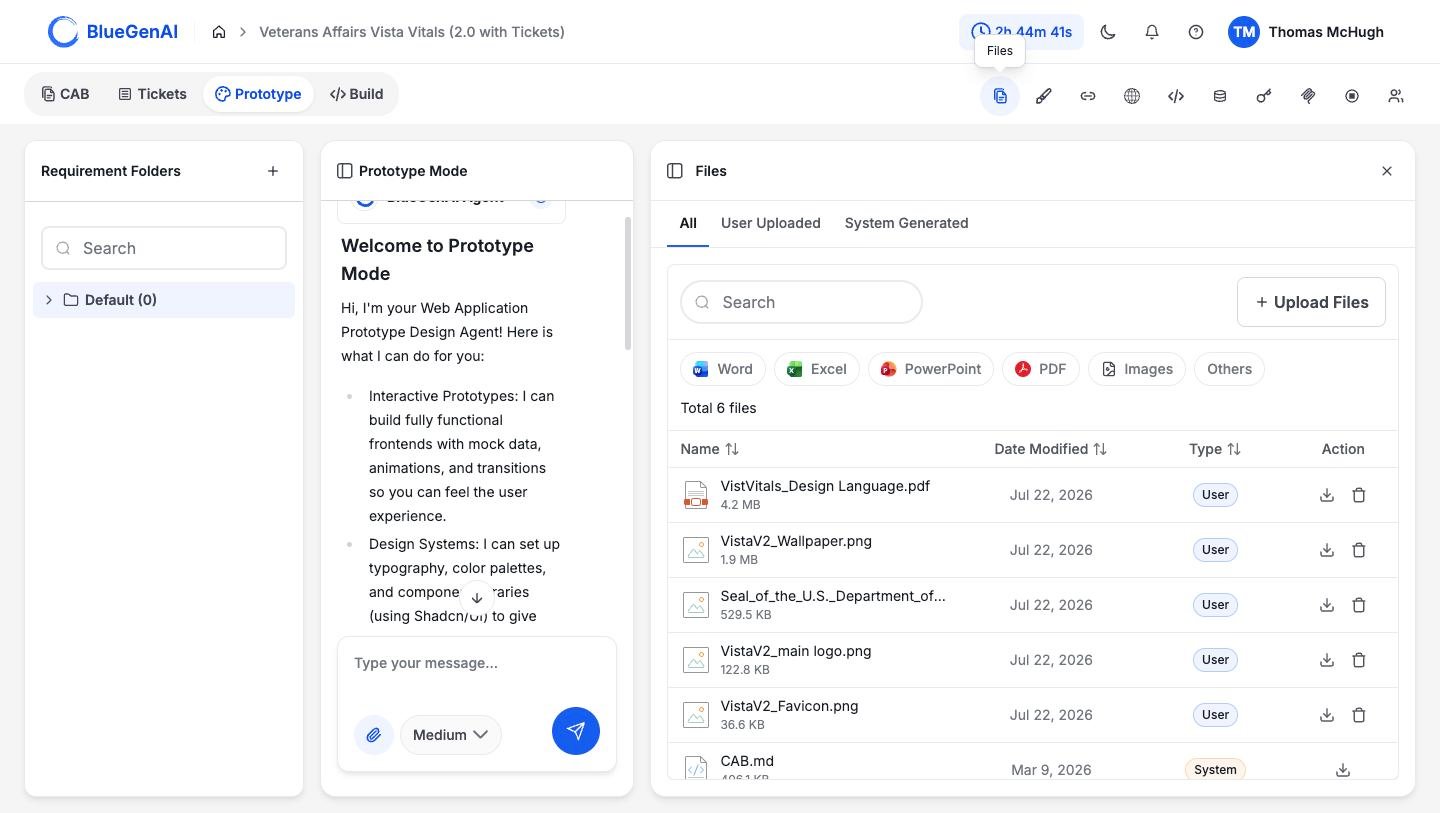
Saved prototype output appears under System Generated in the Files panel, which is where you find it again to attach in Build Mode.
What You Should See
The build agent’s first response reflects what you attached rather than only what you typed. If it starts from a blank understanding of the application, check that the file was actually attached to the prompt.A Common Failure
Iterating in Prototype Mode and expecting Build Mode to have followed along. It has not. Twenty prompts of refinement in Prototype produce a better artifact, not a better-informed build agent. Only what you attach makes the crossing.Your Next Step
With your files attached, the rest is Build Mode.Start building
What a build request does once you submit it.
Review the Prototype workspace
Requirement Folders, the panel rail, and the Design System.